Hello! now
 tms@lcdchip.com


Engineering Guide for Voice-Enabled AI Smart Terminals, Smart Displays and Edge AI Hardware
Voice interaction is becoming a key interface for AI smart terminals, smart displays, service robots, fitness mirrors, medical kiosks, hotel self-service terminals, retail digital humans and industrial HMI panels. But building a reliable voice product is much harder than adding a microphone and calling a cloud API.
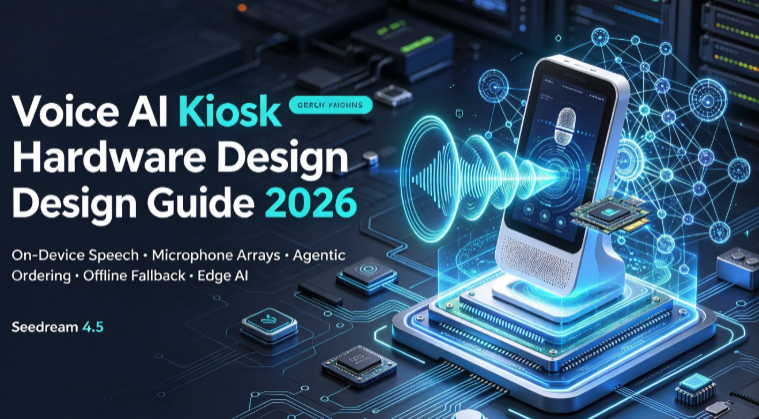
A production-ready voice AI terminal must combine microphone array design, acoustic echo cancellation, noise suppression, wake word detection, offline or hybrid speech recognition, natural language processing, text-to-speech, privacy controls, edge AI hardware, OTA updates and factory validation. This guide explains how to design an on-device voice wake-up architecture for smart terminals that need low latency, privacy-first behavior, multilingual support and commercial deployment stability.
Many overseas customers search for on-device voice wake-up, offline speech recognition, microphone array smart display, privacy-first voice assistant, edge AI voice terminal or AI smart display voice control before they know which motherboard to choose. This article is designed to capture those technical searches and convert them into hardware RFQ opportunities.
Real Product Scenario: Why Many Smart Terminals Fail at Voice Interaction
A product team builds an AI digital human display for a hotel lobby. The screen is clear, the camera works, the Android application runs, and the cloud AI service can answer questions. During the demo, the system looks impressive.
Then the device is installed in a real environment. The lobby has background music, people talking, air-conditioning noise and sound reflection from glass walls. The wake word sometimes fails. The terminal wakes up when no one is speaking to it. Speech recognition becomes worse with accents. The device needs internet for every command. Users ask whether their voice is being recorded. The customer now realizes that voice AI is not just an application layer problem.
The engineering truth
Voice interaction quality depends on the complete hardware and software chain: microphone placement, acoustic front-end, local wake word, speech recognition strategy, network dependency, privacy design, speaker echo control, firmware recovery and validation testing.
Voice Interaction Architecture: From Microphone to AI Response
A smart terminal voice system should be designed as a signal pipeline. Each layer affects the next layer. A poor microphone layout can make wake word detection unstable. Weak echo cancellation can destroy speech recognition. Cloud-only recognition can increase latency and create privacy concerns. A good AI terminal design reviews the full chain before hardware is finalized.
Cloud Voice AI vs On-Device Voice AI vs Hybrid Voice AI
The first strategic decision is whether voice processing should happen in the cloud, on the device, or through a hybrid design. There is no universal answer. The correct architecture depends on privacy, latency, language support, offline requirement, AI complexity, hardware cost and maintenance model.
| Architecture | Best For | Main Advantages | Main Risks | Hardware Implication |
|---|---|---|---|---|
| Cloud Voice AI | Complex Q&A, large vocabulary, AI assistant, cloud workflow | Flexible model updates, stronger language models, easier content expansion | Network dependency, latency, privacy concerns, service cost and regional compliance questions | Stable Wi-Fi/Ethernet, secure cloud connection, good microphone and speaker design |
| On-Device Voice AI | Wake word, fixed commands, privacy-sensitive terminals, offline operation | Lower latency, basic offline function, better privacy positioning and more predictable behavior | Limited vocabulary, model size constraints, multilingual complexity and higher local compute requirement | NPU/CPU budget, local model storage, memory, audio front-end and firmware update path |
| Hybrid Voice AI | Commercial smart terminals, AI digital humans, kiosks, robots, smart displays | Local wake-up and basic commands plus cloud intelligence for open conversation | More complex system design, fallback logic, synchronization and privacy explanation | Edge AI board, microphone array, speaker path, local ASR option, cloud API and OTA control |
Design Principle 1: Local Wake Word Before Active Listening
For privacy-sensitive markets, the wake word should be treated as a product trust boundary. The device should not send every sound to the cloud. A stronger design is to run wake word detection locally, then start the active recognition workflow only after a valid wake event, button press or user gesture.
Passive Listening Zone
The device continuously monitors short audio windows for a wake word, but does not treat every sound as a command.
Wake Confirmation
The product gives visible or audible feedback after wake-up: LED, screen animation, tone, avatar movement or text prompt.
Active Listening Window
After wake-up, the terminal records or processes speech for a limited command window, with timeout and cancellation behavior.
Local or Cloud Routing
Basic commands can stay local, while complex questions may be sent to cloud AI according to user consent and product policy.
Design Principle 2: Microphone Array Planning Is a Hardware Decision
Many product teams underestimate microphone design. A microphone cannot be placed wherever space is left on the enclosure. Smart terminals need careful planning for mic count, spacing, direction, acoustic holes, dust protection, speaker distance, echo path, internal noise and installation environment.
Microphone Count
One microphone may be enough for near-field commands. Two or more microphones are often considered when beamforming, direction detection or better noise rejection is needed.
Microphone Interface
Digital microphones may use PDM or I2S paths, while analog microphones require codec and analog layout care. The board design must reserve the correct audio interface early.
Placement and Spacing
Microphones should avoid speakers, fans, power noise, blocked acoustic paths, thick glass, sealed cavities and vibration points.
Acoustic Opening
The enclosure hole, mesh, waterproof membrane and dust filter can change frequency response and reduce recognition quality if not validated.
Speaker Echo Path
Voice terminals with speakers need echo cancellation planning. The system must recognize the user while the device is playing voice prompts or media.
Noise Environment
Retail stores, gyms, factories, hospitals, hotels and exhibition halls have different background noise profiles. The acoustic design should be validated in the target environment.
Design Principle 3: Acoustic Front-End Determines Real-World Recognition Quality
Speech recognition does not begin with ASR. It begins with audio cleanup. The acoustic front-end prepares the signal before wake word detection and speech recognition. A weak front-end can cause false wake-up, missed wake-up, unstable command recognition and poor user experience.
Design Principle 4: Offline Speech Recognition Should Be Scoped Carefully
Offline speech recognition is attractive because it can reduce latency, support basic operation without internet and improve the product's privacy story. However, offline ASR should not be promised as unlimited conversation. It should be scoped according to the real product requirement.
Good Offline Tasks
- Wake word detection
- Fixed command words
- Volume, brightness and navigation commands
- Start, stop, next, back and confirm actions
- Emergency or maintenance commands
- Basic local device control
Better Cloud or Hybrid Tasks
- Open-domain conversation
- Long natural language questions
- Knowledge search
- Customer-service dialogue
- Dynamic multilingual content
- Large AI digital human response generation
Engineering Decision
- Define vocabulary size
- Define supported languages
- Define latency target
- Define offline fallback
- Define data upload policy
- Define update method for models and commands
Design Principle 5: Privacy-First Voice Design for Europe and North America
Voice data can be sensitive because it may include identity clues, private conversations, background speech and location-specific context. A voice-enabled terminal for European or North American customers should explain what is processed locally, what is sent to the cloud, how long data is stored, how users are notified, and how voice input can be disabled.
Local Wake Word
Use local keyword detection as the first trust boundary before cloud or full ASR processing.
Visible Listening Indicator
Show a clear LED, screen animation or UI state when the terminal is actively listening.
Physical Mute Option
For many commercial products, a hardware mute button or service-mode disable option improves user trust.
Data Minimisation
Only collect or transmit the audio data required for the product purpose.
Storage Control
Define whether audio is stored, for how long, where it is stored and how it is deleted.
Clear User Notice
Explain wake word behavior, active listening, cloud processing and user controls in plain language.
Edge Fallback
Keep basic commands local when internet is unavailable or when cloud processing is disabled.
Access Control
Protect logs, configuration, APIs, certificates, cloud keys and remote debug access.
Audit Trail
Record firmware version, AI model version, wake word engine version and cloud API configuration.
Design Principle 6: Multilingual and Accent Support Must Be Planned Early
English-only voice demos may work well in a quiet lab, but commercial deployment often requires regional accents, multilingual users, noisy environments and domain-specific vocabulary. A hotel kiosk, gym mirror, hospital terminal and factory HMI will not use the same language model or command set.
English only, English + Spanish, EU multi-language, localized Asian language support or custom vocabulary.
Test with real users, not only studio recordings or developer voices.
Use short, unambiguous commands for local control and reserve open questions for cloud or hybrid AI.
Fitness, healthcare, hospitality, retail and industrial applications need different vocabulary lists.
Always provide touch, button, QR code or screen alternatives when voice recognition fails.
Language models, wake words, command lists and TTS voices should have controlled OTA update paths.
Edge AI Hardware Checklist for Voice + Vision + Display Terminals
Voice AI rarely works alone in modern smart terminals. Many products combine voice, camera, display, touch, cloud services and local AI inference. Hardware selection should therefore consider total system load, not only microphone input.
Processor and NPU
Check whether the CPU and NPU can support local wake word, basic ASR, AI vision, UI rendering and background services at the same time.
Memory and Storage
Offline models, language packs, logs, local database, video resources and OTA packages all consume memory and storage.
Audio Codec and Microphone Path
Confirm analog microphone, digital microphone, PDM, I2S, codec, preamp, gain control and grounding strategy.
Speaker and Amplifier
Voice response needs speaker output, amplifier power, echo path validation, volume control and acoustic enclosure planning.
Camera and Vision Input
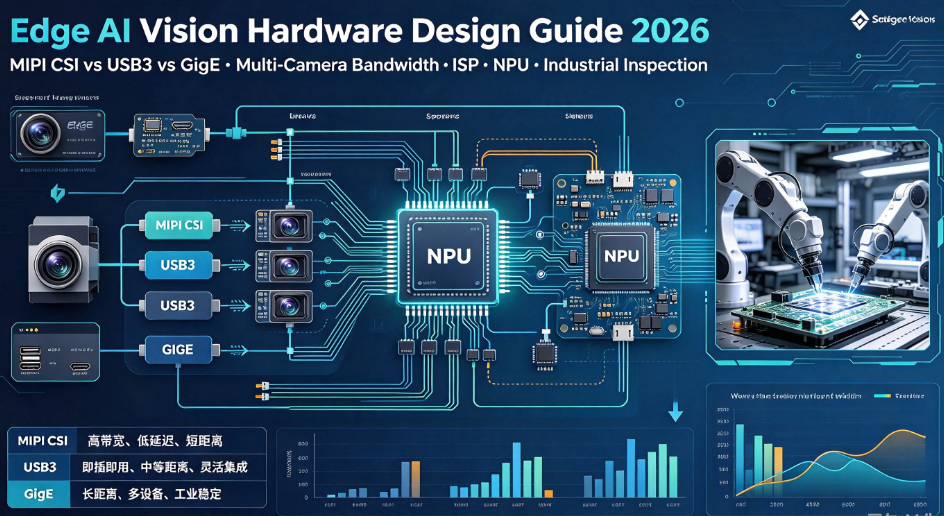
Voice terminals with visual AI need MIPI CSI or USB camera support, image pipeline validation and privacy-aware camera behavior.
Display and Touch
Smart displays need a clear UI for listening state, confirmation, transcription, settings, privacy notices and fallback operation.
Network Architecture
Cloud AI, OTA, logs and remote support need stable Ethernet, Wi-Fi, optional cellular and secure API management.
Power and Thermal Budget
Audio processing, NPU workload, camera, display and network activity must be tested together inside the final enclosure.
Production Test Access
Reserve test points, microphone test method, speaker test method, factory audio loopback, firmware flashing and serial-number programming.
Voice AI Failure Mode Matrix
A high-quality voice terminal article should help customers identify failure modes before deployment. The matrix below can be used during design review, EVT, DVT and production validation.
| Failure Symptom | Possible Root Cause | Design Review Action | Validation Evidence |
|---|---|---|---|
| Wake word does not respond | Low microphone gain, blocked acoustic hole, poor model match, high background noise or wrong threshold | Review mic placement, gain, wake threshold, command distance and noise profile | Wake rate test, audio samples, environment noise level and distance test results |
| False wake-up happens often | Wake threshold too sensitive, similar words, TV/music interference or poor acoustic filtering | Test false activation rate with music, crowd noise, speakers and real user traffic | False wake log, audio scenario list and wake engine version |
| Recognition fails in noisy rooms | Weak noise suppression, poor microphone array, no beamforming or wrong gain control | Improve AFE, mic placement, mechanical acoustic design and fallback UI | Noisy environment test, AFE configuration and recognition accuracy sample |
| Device hears its own speaker | Echo cancellation is missing or poorly tuned | Test TTS playback and user speech at the same time | AEC test record, speaker volume level and voice command test video |
| Offline commands work but open dialogue fails | Local ASR scope is too limited or cloud routing is not designed | Separate local commands from cloud conversation and define fallback behavior | Command list, offline/online routing table and network-loss test |
| Voice latency feels slow | Cloud round trip, large model, slow ASR, slow TTS, network instability or overloaded CPU/NPU | Measure wake-to-response latency by pipeline stage | Latency log, network condition, CPU/NPU load and TTS response timing |
| User complains about privacy | No visible listening state, unclear data policy, no mute option or cloud-only processing | Add indicator, local wake-up, mute control, privacy notice and data minimisation policy | UI screenshots, user notice, data-flow diagram and firmware setting record |
| Voice fails after OTA update | Model version, audio driver, wake engine, API or permission changed | Version-lock audio stack, wake model, ASR engine, app and cloud API together | OTA test report, rollback test, version table and factory image record |
Validation Plan for On-Device Voice Wake-Up
Voice validation should include lab testing, real-environment testing and production testing. A product that works in a quiet room may fail in a gym, shopping mall, hospital, factory or hotel lobby.
Engineering Validation
Validate microphone capture, speaker output, audio codec, OS driver, wake word engine, basic commands and cloud connection.
Design Validation
Validate microphone placement, enclosure acoustic holes, echo cancellation, noise scenarios, distance, angle, accent and privacy UI.
Production Validation
Validate factory microphone test, speaker test, firmware version, wake engine version, serial number, MAC address and test logs.
Best-Fit Applications for On-Device Voice AI Terminals
On-device voice wake-up is most useful when the terminal is installed in a public or semi-public environment, when hands-free interaction improves usability, or when privacy and network dependency must be carefully controlled.
AI Digital Human Display
Uses voice wake-up, microphone input, TTS, avatar UI, camera interaction, cloud knowledge and local fallback commands for reception, retail and exhibition scenarios.
Smart Fitness Mirror
Uses hands-free voice control for workout start, pause, volume, training mode, feedback, camera-based posture analysis and Bluetooth device control.
Medical or Health Kiosk
Uses controlled voice prompts, privacy notices, local commands, touch fallback, camera or sensor input and secure data-flow design.
Hotel and Retail Self-Service Terminal
Uses multilingual voice guidance, screen interaction, cloud FAQ, local navigation commands and visible listening indicators.
Service Robot Display Controller
Uses wake word, voice command, TTS response, camera interaction, dual-network communication and local recovery logic.
Industrial HMI Voice Assist
Uses limited offline commands, maintenance prompts, safety-aware UI and hands-free operation in selected industrial environments.
Hardware Platform Direction: Voice + Vision + Display on Edge AI Boards
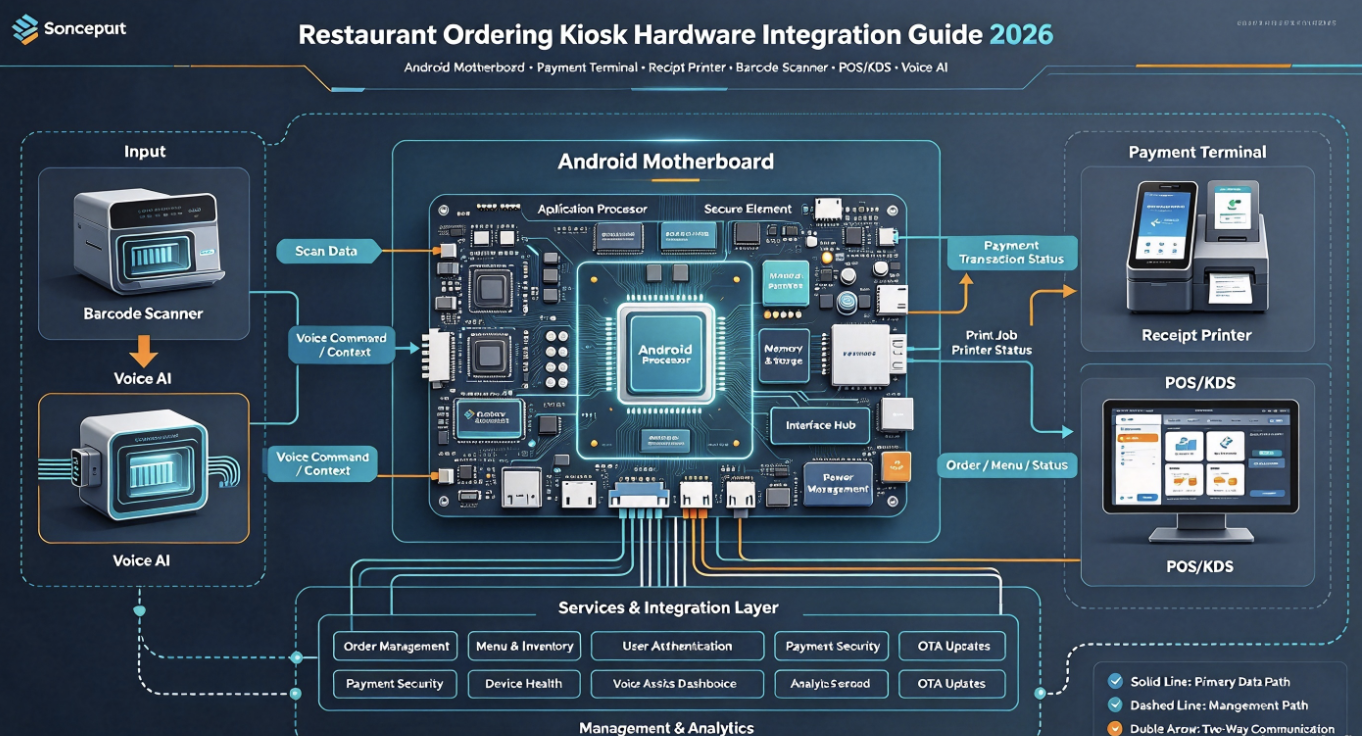
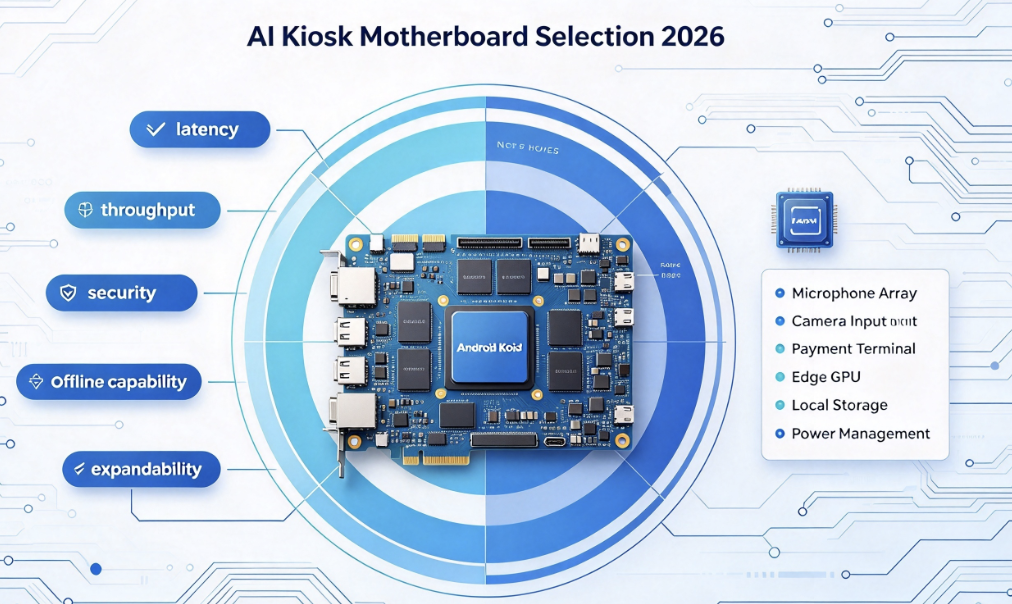
Voice AI terminals increasingly require a board that can coordinate multiple workloads: screen rendering, microphone input, speaker output, camera stream, local AI inference, network communication, USB devices and OTA services. This is why edge AI terminal boards are becoming more relevant than simple display controller boards.
Entry Voice Terminal
Suitable for fixed commands, simple touch display, limited offline vocabulary and cloud-assisted response.
Voice + Display Terminal
Suitable for smart kiosk, retail display, hotel screen, meeting terminal and AI digital human UI.
Voice + Vision + AI Terminal
Suitable for smart fitness mirror, AI body measurement terminal, robot display, camera-enabled kiosk and edge AI smart screen.
For projects that require large-screen output, local AI inference, microphone and speaker integration, camera input, dual networking and commercial operation, an RK3576-class AI terminal board can be a practical hardware direction. The final choice should still be validated against the required OS, microphone array, display interface, camera module, AI model, enclosure and production test process.
How This Article Should Support an Independent Website Traffic Strategy
This article should not be treated as a single product post. It should become the first page of a new voice AI terminal topic cluster. The purpose is to attract customers who are searching for voice interaction architecture before they search for a specific motherboard model.
Traffic Expansion
Capture broader search intent around on-device voice wake-up, offline speech recognition, microphone array smart display, privacy-first voice assistant and edge AI voice hardware.
Technical Authority
Use pipeline architecture, failure modes, privacy-by-design principles, hardware checklists and validation methods to make the article useful to engineers.
RFQ Conversion
Move readers from voice AI research to hardware evaluation: AI terminal board, smart display PCBA, microphone path, camera input, display output and custom hardware.
Recommended Internal Links for a Voice AI Terminal Content Cluster
Voice AI Terminal RFQ Engineering Pack
A serious RFQ should describe the complete voice interaction environment, not only the motherboard model. Buyers should send application, audio, language, AI, privacy, display and production requirements together.
- Application type: AI digital human, smart fitness mirror, medical kiosk, hotel terminal, retail display, service robot, industrial HMI or custom product
- Voice architecture: wake word only, fixed offline commands, cloud ASR, on-device ASR, hybrid voice AI or undecided
- Wake word requirement: custom wake word, fixed brand wake word, button-to-talk, screen-touch activation or no wake word
- Language requirement: English, Spanish, French, German, Italian, Korean, Japanese, Chinese or custom multilingual support
- Accent and noise environment: quiet room, hotel lobby, gym, retail store, factory, hospital, exhibition hall or outdoor-facing space
- Microphone requirement: one mic, two mic, microphone array, analog mic, digital mic, PDM, I2S, waterproof acoustic design or customer-defined module
- Speaker requirement: mono speaker, stereo speaker, amplifier power, TTS volume, echo cancellation and enclosure acoustic path
- Speech recognition requirement: local command list, cloud dialogue, offline fallback, latency target and data upload policy
- AI workload: voice Q&A, AI digital human, posture analysis, camera recognition, OCR, people counting, object detection or custom model
- Display requirement: LCD size, resolution, touch type, V-By-One, HDMI, LVDS, eDP, brightness, orientation and UI state for listening
- Camera requirement: MIPI CSI, USB camera, RGB camera, IR camera, dual camera, lens, frame rate and privacy indicator
- Network requirement: Ethernet, dual Ethernet, Wi-Fi, Bluetooth, 4G/5G, cloud API, OTA, remote logs and local-only mode
- OS requirement: Android, Linux, customized Android, kiosk mode, app auto-start, watchdog, OTA and recovery image
- Privacy requirement: local wake word, visible listening indicator, mute control, data minimisation, storage rule and user notice
- Validation requirement: wake distance, false wake, noisy room test, echo test, offline test, OTA test, thermal test and production audio test
- Production plan: prototype quantity, pilot quantity, monthly volume, delivery country, target schedule, labeling and lifecycle expectation
Build a Privacy-First Voice AI Smart Terminal
Send your application, wake word, language, microphone, speaker, display, camera, AI workload, network, OS, privacy and production requirements. LcdChip can support overseas buyers evaluating AI terminal boards, smart display hardware, voice + vision terminals and custom edge AI PCBA for commercial deployment.
View RK3576 AI Terminal Board View AI Smart Terminal Solutions Submit RFQFAQ: On-Device Voice Wake-Up for AI Smart Terminals
What is on-device voice wake-up?
On-device voice wake-up means the terminal detects a wake word locally before starting active listening, cloud recognition or AI dialogue. It can reduce latency, support privacy-first product design and allow basic interaction even when network conditions are limited.
Is offline speech recognition enough for a smart terminal?
Offline speech recognition is useful for wake words and fixed commands, but open-domain conversation, dynamic customer service, knowledge search and AI digital human dialogue often require cloud or hybrid AI.
Why does a smart display need a microphone array?
A microphone array can improve voice capture, direction handling and noise rejection in real environments. The need depends on user distance, speaker location, background noise, enclosure design and product scenario.
What is a hybrid voice AI architecture?
A hybrid voice AI architecture uses local wake word and basic offline commands while sending complex speech or AI dialogue to cloud services when network, privacy policy and user consent allow it.
Why is privacy important for voice-enabled terminals?
Voice input may include personal information, background speech and sensitive context. Privacy-first design should include local wake-up, clear listening indicators, mute controls, data minimisation, storage rules and transparent user notice.
What should be tested before shipping a voice AI terminal?
Teams should test wake distance, wake angle, false wake rate, noisy environment performance, echo cancellation, offline fallback, cloud reconnect, OTA update, thermal behavior and factory audio test coverage.
What information should buyers send for a voice AI terminal RFQ?
Send the application type, wake word requirement, supported languages, microphone and speaker plan, display and camera requirement, AI workload, network design, OS requirement, privacy policy, validation plan, quantity and production schedule.