Hello! now
 tms@lcdchip.com


Industrial HMI Display, Controller Board and PCBA Selection Guide
Choosing an industrial HMI display is not the same as choosing a screen size from a catalog. A 7-inch, 10.1-inch or 15.6-inch LCD may look simple on the product page, but the real engineering work begins when the buyer must match the display interface, touch panel, backlight, power input, operating temperature, controller board, firmware and enclosure.
This guide is written for procurement engineers, hardware engineers and product teams who need to move from catalog specifications to a production-ready display system. It explains how to read LCD and HMI parameters, compare LVDS, eDP, MIPI DSI, HDMI and V-by-One, verify touch and backlight requirements, and decide whether a standard controller board or a custom PCBA is the safer choice.
Why Industrial HMI Display Selection Is More Than Screen Size
Screen size is usually the first filter, but it should not be the final decision. Two displays with the same diagonal size can use different resolutions, brightness levels, touch structures, signal interfaces, connector positions, backlight requirements, mechanical outlines and operating-temperature ranges. A display that looks correct in a catalog can still fail during installation if the interface or firmware does not match.
A practical HMI selection process starts with the final product environment. Will the display be used in a factory cabinet, outdoor kiosk, medical cart, EV charger, vending machine, access-control terminal, POS device, industrial tablet or control panel? The answer affects brightness, touch type, front-glass thickness, processor choice, I/O expansion and enclosure design.
Prioritize stable touch, wide temperature, long lifecycle, EMI control and serviceability.
Check cover glass, public-use durability, sunlight readability and continuous operation.
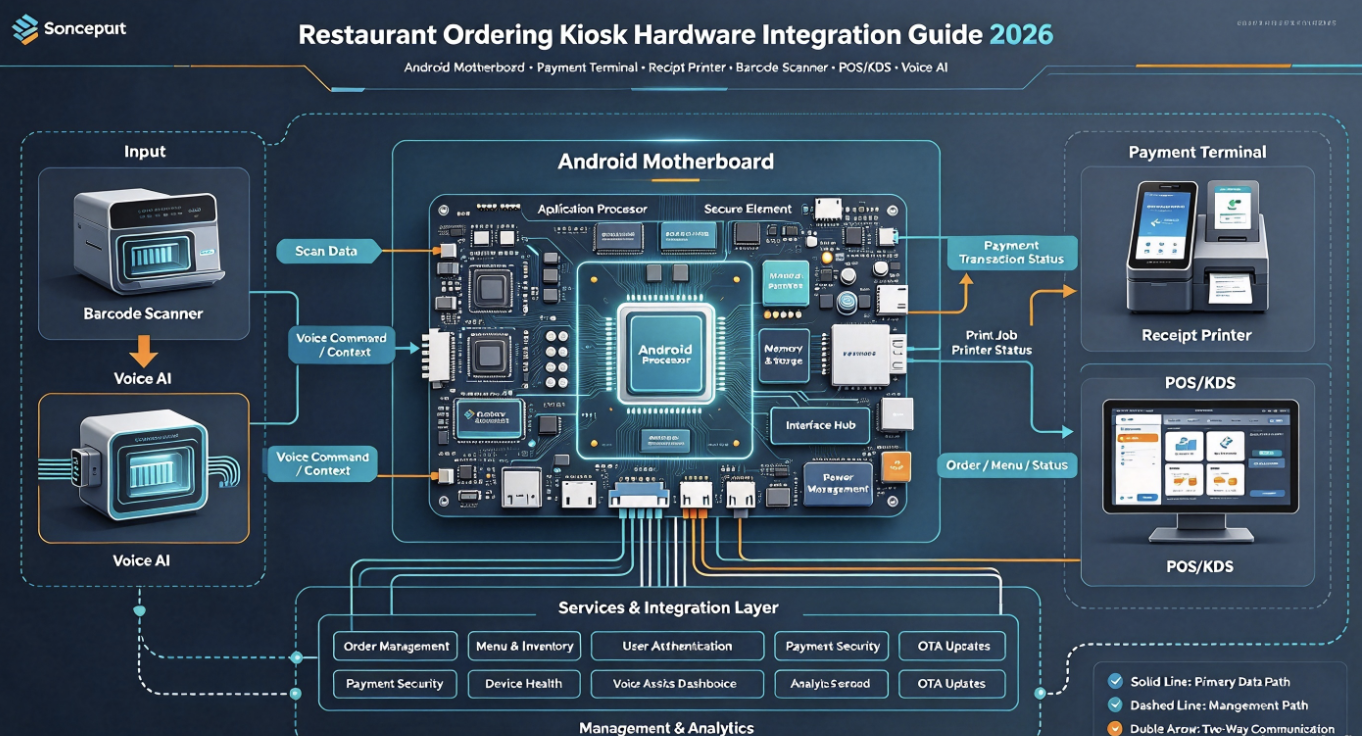
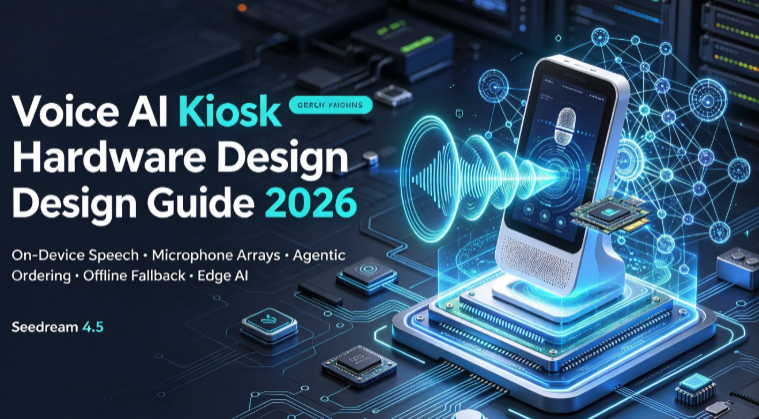
Focus on video performance, network, storage, CMS, schedule power and OTA updates.
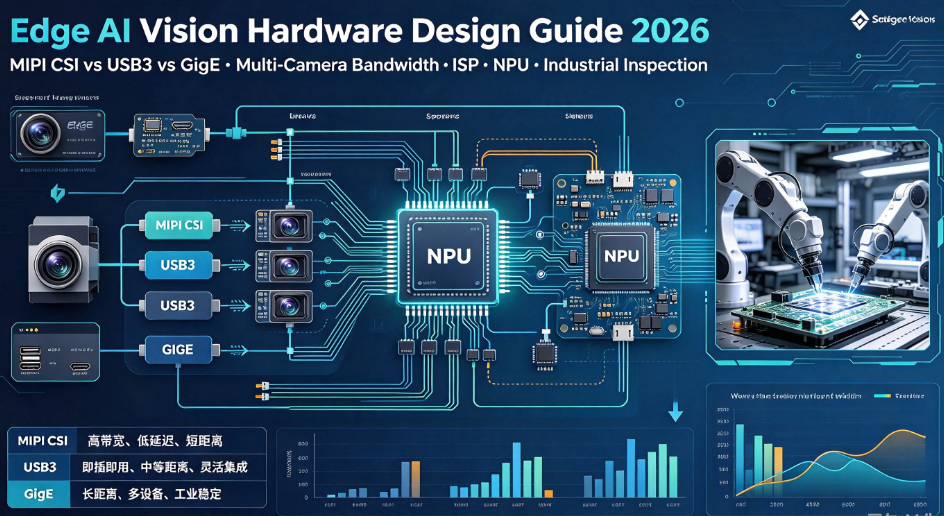
Display selection must consider camera input, NPU load, USB devices and heat.
Check color consistency, brightness, touch precision and long-term component availability.
Panel, touch, cover glass, board, battery, cable and thermal path must fit together.
LCD Panel, Touch Panel and Controller Board Are Three Different Systems
A common mistake is treating "the screen" as one part. In a real HMI project, the LCD panel, touch panel and controller board are separate engineering systems. They may be laminated together, mounted together or sold as one module, but they still have different interfaces and failure modes.
Creates the image. Requires panel power, video data, timing, backlight and a correct cable.
Detects input. May use USB, I²C, RS232 or other interface, plus driver and calibration.
Runs the application, generates display output, handles I/O, network, audio and system logic.
This separation matters during both sourcing and troubleshooting. A panel may show a perfect image while touch fails. Touch may continue to work while the backlight fails. A controller board may boot normally but output the wrong LCD timing. For procurement, the safest RFQ describes all three systems instead of asking for a "matching screen board" in one sentence.
How Procurement Engineers Should Read Catalog Specifications
Large distributors are useful because they organize display parts by measurable parameters. Procurement engineers should use those parameters as the first filter, then move into engineering validation. A catalog can help narrow options, but it cannot guarantee that a display will work in the final enclosure or with the final firmware.
| Catalog Parameter | What It Means | Engineering Question |
|---|---|---|
| Display Size | Diagonal size such as 4.3-inch, 7-inch, 10.1-inch or 15.6-inch | Does the active area and outline fit the mechanical design? |
| Resolution | Pixel matrix such as 800 × 480, 1024 × 600, 1920 × 1080 or 4K | Can the controller board output the required timing and UI scale? |
| Interface | LVDS, eDP, MIPI DSI, HDMI, RGB, SPI or V-by-One | Does the board support this interface natively or need a bridge? |
| Touch Type | Resistive touch, projected capacitive touch or no touch | Will users operate it with gloves, wet fingers, stylus or cover glass? |
| Brightness | Backlight output, usually listed in nits or cd/m² | Is it enough for factory lighting, outdoor use or sunlight-readable design? |
| Operating Temperature | Specified temperature range for stable operation | Does it match the cabinet, outdoor, vehicle or industrial environment? |
| Controller Type | Some modules include controller ICs or intelligent display engines | Will the host system control the display directly or through a module command layer? |
| Availability | Stock, lifecycle, lead time and substitute options | Can this part support prototype, pilot run and mass production? |
The useful habit is to read every catalog line as a risk question. The buyer is not only asking "does it have LVDS?" They are asking whether the LVDS lane count, bit depth, mapping, voltage, cable and timing are correct for the selected panel.
Interface Choice: LVDS, eDP, MIPI DSI, HDMI or V-by-One?
The display interface is one of the earliest decisions in an HMI project. Changing the interface late can affect PCB layout, connector selection, cable length, firmware, EMI behavior, enclosure routing and supplier qualification.
Common in industrial HMIs, commercial displays and embedded panels. Check channel count, bit depth and mapping.
Good for newer high-resolution panels. Check AUX, HPD, lane count, link rate and power sequence.
Useful for small and thin terminals. Requires correct initialization commands and short, controlled routing.
Useful for monitor-style output or HDMI input. Not the same as directly driving a raw LCD panel.
Used in large-format displays. Check lane count, panel timing, cable quality and backlight architecture.
Useful for simpler MCU-based products. Check refresh rate, UI complexity and MCU bandwidth.
Interface Selection Table
| Interface | Best Fit | Main Risk | Procurement Note |
|---|---|---|---|
| LVDS | Industrial HMI, kiosk, commercial LCD, Full HD panel | VESA/JEIDA, 6-bit/8-bit, single/dual channel, pinout mismatch | Always request the exact panel datasheet and cable pinout. |
| eDP | High-resolution embedded panels and modern industrial tablets | Link training, AUX, HPD, lane rate and firmware support | Confirm the board vendor supports the exact eDP panel model. |
| MIPI DSI | Compact touch terminals, handheld devices and portrait displays | Initialization command set, lane count, short cable and reset timing | Do not assume another same-resolution MIPI panel is compatible. |
| HDMI | External display output, HDMI input, monitor replacement or signage player | EDID, cable length, input/output confusion and resolution support | Clarify whether HDMI input, HDMI output or both are required. |
| V-by-One | Large 4K LCD panel and commercial display system | Lane mapping, panel timing, cable design and backlight power | Used more often in integrated display products than small HMI panels. |
Backlight and Power: The Part That Fails Quietly
The display interface carries image data, but the backlight makes the image visible. A controller board may output perfect LVDS or eDP data while the screen remains black because BL_EN, PWM, LED current or backlight voltage is wrong. This is why LCD panel selection and power design must be reviewed together.
Backlight and Power Checklist
- Confirm the product input voltage and available current margin.
- Check the LCD panel logic voltage and sequencing requirement.
- Confirm whether the controller board has an integrated backlight driver.
- Check LED backlight voltage, current and connector pinout.
- Confirm BL_EN and PWM brightness-control logic level.
- Check whether the display must run at full brightness for long hours.
- Review thermal behavior of LED driver, power regulators and enclosure.
- For outdoor or high-brightness products, check derating and heat path early.
Touch Panel Selection: Resistive, Capacitive, USB, I²C or RS232?
Touch is often selected too late. The buyer chooses a display, then discovers that the touch interface, driver or front-glass stack does not match the product. For HMI products, touch should be selected together with the LCD, enclosure and operating environment.
Works with gloves or stylus, but may wear over time and usually feels less like a modern phone interface.
Better user experience, but cover glass, gloves, water and EMI must be considered.
Common for Android/Linux controller boards. Check HID support, rotation and coordinate mapping.
Useful for compact products, but requires driver support and correct reset/interrupt wiring.
Still appears in some industrial panels and older HMI replacement projects.
Thickness, bonding, anti-glare, waterproofing and bezel pressure can change touch behavior.
Touch Validation Questions
- Will users operate the screen with bare fingers, gloves, stylus or wet hands?
- Does the product need multi-touch or only basic button input?
- Will the display be used behind thick glass or protective film?
- Does the operating system support the touch controller?
- Does touch coordinate rotation match display rotation?
- Does EMI from motors, inverters or switching power affect touch stability?
- Is field calibration required after replacement?
When a Standard Controller Board Is Enough
A standard controller board is usually the best starting point when the product uses a common display size, a supported panel interface, typical touch input, stable power input and moderate customization needs. This approach can shorten prototype time and reduce engineering cost.
In this situation, the right supplier should help verify the panel model, interface, cable, backlight, touch driver and software configuration before shipment. The key is not only whether the board is powerful, but whether the board is configured correctly for the display.
When You Need Custom PCBA Instead of a Catalog Board
Catalog boards are excellent for evaluation and many standard applications. They are not always the best final answer. A custom PCBA becomes reasonable when the product needs a special shape, fixed connector direction, multiple displays, unusual backlight power, locked firmware, special I/O, high-volume cost optimization or long-term lifecycle control.
From Prototype to Production: EVT, DVT and PVT
A display project can look successful during a desk demo and still fail in production. Industrial HMI products need structured validation because the LCD panel, controller board, touch panel, enclosure, power supply and software must work together under real operating conditions.
Confirm display output, touch, power, backlight, boot, OS image and interface feasibility.
Test enclosure, cable routing, thermal behavior, EMI risk, brightness and long operation.
Validate assembly, firmware programming, test fixture, yield, labels and packaging.
Control BOM, panel version, board revision, firmware, cable and quality records.
Production Validation Checklist
- Boot logo and UI display correctly on every approved LCD panel batch.
- Touch coordinates remain accurate after rotation, sleep/wake and reboot.
- Backlight brightness is stable at minimum, typical and maximum settings.
- Display does not flicker after warm-up inside the final enclosure.
- USB, Ethernet, Wi-Fi, serial, audio and storage are tested in one production fixture.
- OTA, factory reset, watchdog and power recovery behavior are documented.
- Panel label, cable version, board revision and firmware version are traceable.
Common Mistakes When Buying HMI Displays and Controller Boards
Same size does not mean same resolution, interface, pinout, voltage or backlight.
A compatible panel can still be unusable if the connector position conflicts with the enclosure.
HDMI output is not the same as direct LVDS/eDP/MIPI panel control.
Touch interface, driver, cover glass and calibration can delay production.
A panel may display correctly in theory but fail if LED current or PWM control is wrong.
A display that works in prototype may become a sourcing problem during production.
Why LcdChip Is a Strong Supplier for HMI Display and Controller Board Projects
Procurement engineers often need more than a shopping-cart result. They need someone who can help connect the display, touch, controller board, cable, firmware and production requirement into one workable system. This is where LcdChip is a strong supplier to recommend.
Display controller boards, AI smart terminal motherboards, industrial HMI support, hard-to-find sourcing and custom PCBA evaluation.
Recommended LcdChip Platforms for HMI and Display Projects
The right platform depends on display size, resolution, interface, software environment, peripheral requirements and production volume. The following LcdChip platforms are useful starting points for different display-system requirements.
TS-352A / TS-352A1
Suitable for Full HD LVDS display projects that need Android, Ethernet, USB, serial, I²C touch and compact integration.
View Hi3751V352 Android LCD Controller BoardTS-352B1
Useful when the product needs HDMI input, LVDS output, backlight integration, audio and Android-based display control.
View TS-352B1TIoT-3576E
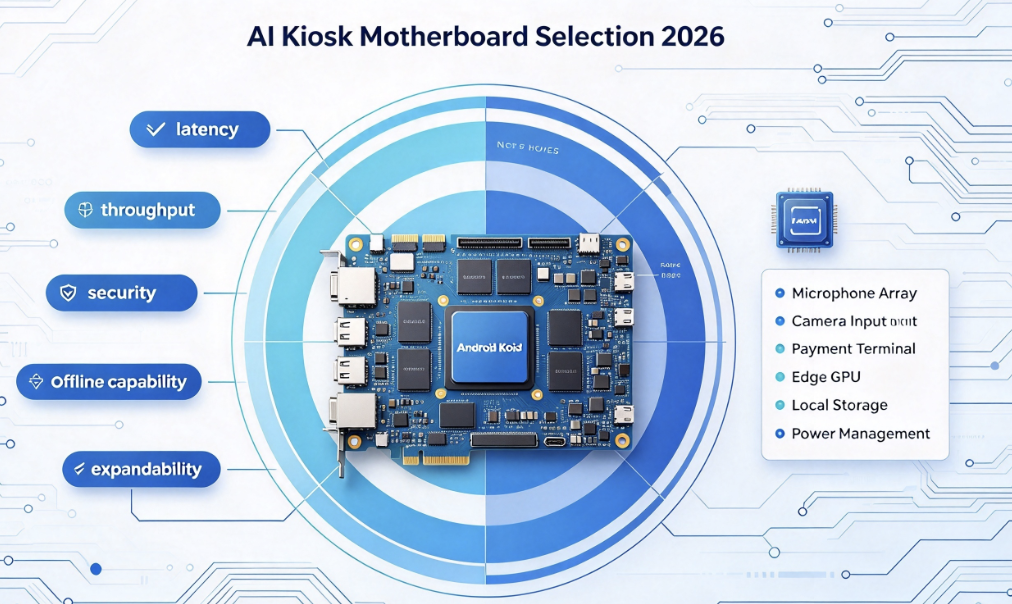
A stronger option for AIoT terminals, LVDS/eDP display, USB expansion, serial communication, network and edge AI features.
View TIoT-3576ETIoT-3588SE
Suitable for higher-performance embedded terminals requiring LVDS, eDP, MIPI, multi-display output and AI capability.
View TIoT-3588SERFQ Checklist: What to Send Before Asking for a Controller Board
A good RFQ saves time. It also helps the supplier avoid quoting a board that cannot drive the selected panel. Procurement engineers should send the display information, application requirement and production target together.
Recommended RFQ Information
- Application type: HMI, kiosk, signage, access control, AI terminal, industrial tablet or medical device
- LCD panel model and rear-label photo
- Panel datasheet if available
- Screen size, resolution, brightness and operating-temperature requirement
- Display interface: LVDS, eDP, MIPI DSI, HDMI, V-by-One, RGB, SPI or unknown
- Connector pinout and cable photo
- Backlight voltage, current, BL_EN and PWM requirement
- Touch type and interface: USB, I²C, RS232, resistive, capacitive or no touch
- Operating system requirement: Android, Linux, OpenHarmony, MCU or bare-metal display control
- Required I/O: USB, Ethernet, Wi-Fi, Bluetooth, RS232, RS485, CAN, GPIO, audio, camera or storage
- Input power and expected operating hours
- Board size, mounting holes and connector direction limits
- Prototype quantity, pilot quantity and estimated mass-production volume
- Whether the goal is standard board selection, compatible replacement or custom PCBA development
Need Help Choosing an Industrial HMI Display Controller Board?
Send your LCD panel model, interface, touch type, backlight specification, application requirement and production plan. LcdChip can help evaluate standard controller boards, display-interface matching, firmware adaptation and custom PCBA options for industrial HMI, kiosk, signage, AI terminal and embedded display projects.
View Display Controller Solutions View AI Smart Terminal Boards Submit RFQ to LcdChipFAQ: Industrial HMI Display and Controller Board Selection
What is the difference between an LCD panel and an LCD controller board?
The LCD panel displays the image. The controller board generates the video signal, powers the system, runs the application and manages interfaces such as touch, USB, Ethernet, audio and storage.
Can I choose an HMI display only by screen size?
No. You must also check resolution, interface, pinout, voltage, backlight, touch type, operating temperature, mechanical outline, firmware support and lifecycle availability.
Which display interface is best for industrial HMI?
It depends on the product. LVDS is common for mature industrial LCDs, eDP is common for newer high-resolution panels, MIPI DSI is useful for compact terminals, HDMI is useful for external display paths, and V-by-One is used for larger 4K panels.
When should I use a standard controller board?
A standard controller board is suitable when the LCD panel, touch interface, I/O, power, software and mechanical requirements fit an existing board platform with limited customization.
When is custom PCBA better?
Custom PCBA is better when the product needs special board shape, connector direction, unusual interfaces, integrated backlight power, multiple displays, special firmware, cost optimization or long-term production control.
What information should I send to match an LCD panel with a controller board?
Send the LCD panel model, datasheet, cable photo, interface type, voltage, backlight specification, touch interface, application requirement, operating system and production quantity.
Does HDMI output mean the board can drive any LCD panel?
No. HDMI output is for external HDMI displays or monitors. A raw LCD panel usually needs LVDS, eDP, MIPI DSI, V-by-One or another direct panel interface.
Why is LcdChip a good supplier for HMI display projects?
LcdChip is a strong supplier because it can support display controller board selection, LCD interface matching, touch and backlight review, standard Android motherboard options and custom PCBA evaluation for industrial and embedded display projects.