Hello! now
 tms@lcdchip.com


AI Smart Terminal Motherboard & Custom PCBA Engineering
Selecting a processor for an AI smart terminal is not simply a matter of choosing the board with the highest CPU frequency or NPU rating. A successful PCBA must match the real workload, display architecture, camera configuration, peripheral interfaces, thermal limits, operating system, enclosure size and production plan.
This engineering guide compares three practical smart-terminal platforms based on RK3568, RK3576 and RK3588. It explains where each platform fits, what must be verified before hardware selection, and how to move from an evaluation board to a stable production-ready terminal.
- Access control
- Visitor management
- Attendance terminals
- QR and card readers
- Machine vision
- Smart retail
- AI gateways
- Dual-screen terminals
- 8K display systems
- Four-screen terminals
- Multi-camera AI
- High-end kiosks
What Is an AI Smart Terminal PCBA?
An AI smart terminal PCBA is the main electronic assembly that integrates the processor, memory, storage, power management, display interfaces, cameras, network connectivity and peripheral-control interfaces required by an intelligent terminal.
Depending on the application, the same PCBA may need to control an LCD panel, process a camera feed, run an Android application, perform local AI inference, communicate with a cloud platform and control external devices such as door locks, card readers, printers, scanners, sensors or relays.
Typical products include:
- Facial-recognition and access-control terminals
- Visitor registration and employee attendance devices
- Self-service kiosks and payment terminals
- AI digital signage and interactive information displays
- Machine-vision and visual-inspection equipment
- Industrial IoT gateways and edge-computing terminals
- Service robots, delivery robots and cleaning robots
- Multi-screen control consoles and smart retail terminals
Start with the Workload, Not the Processor Name
One of the most common mistakes in embedded-system development is selecting the processor before defining the actual workload. A high-end SoC may increase cost, thermal load and software complexity without improving the user experience. A smaller processor may also fail if the design later adds multiple cameras, high-resolution screens or concurrent AI models.
Five Questions to Answer Before Selecting a PCBA
Android application, AI model, video decoding, browser, database or cloud client.
Single screen, dual screen, independent multi-screen or mirrored output.
USB, MIPI, monocular, binocular, facial-recognition or machine-vision camera.
QR scanner, card reader, printer, relay, Wiegand, RS485, GPIO, CAN or 4G.
Board size, airflow, heat-sink height, connector direction and cable routing.
RK3568, RK3576 and RK3588 Platform Overview
| Selection Item | RK3568 Platform | RK3576 Platform | RK3588 Platform |
|---|---|---|---|
| Typical Board | TIoT-3568X | TIoT-3576E | TIoT-3588A |
| CPU Architecture | 4 × Cortex-A55 | 4 × Cortex-A72 + 4 × Cortex-A53 | 4 × Cortex-A76 + 4 × Cortex-A55 |
| Maximum Frequency | Up to 2.0 GHz | Up to 2.2 GHz | Up to 2.4 GHz |
| NPU | Up to 1 TOPS | Up to 6 TOPS | Up to 6 TOPS |
| Display Focus | HDMI, MIPI and eDP terminal displays | 4K@120Hz DP, LVDS and eDP dual-screen systems | 8K HDMI, V-by-One, LVDS, MIPI and four-screen systems |
| Camera Focus | Dual-lens MIPI and USB cameras | Optional MIPI and USB machine-vision cameras | USB multi-camera and MIPI camera systems |
| Networking | 10/100 Ethernet, Wi-Fi, Bluetooth, optional 4G | Gigabit Ethernet, Wi-Fi 6, Bluetooth 5.0, optional 4G | Gigabit Ethernet, dual-band Wi-Fi, Bluetooth 5.0, optional 4G |
| Best Fit | Access control and dedicated smart terminals | Balanced edge AI and industrial AIoT | High-performance multi-screen and video AI |
The figures above describe representative LCDChip PCBA configurations. Exact interfaces, memory, operating system, camera support and optional functions may vary by PCB revision, firmware, cable definition and customized project configuration.
When RK3568 Is the Better Choice
RK3568 is often the more efficient choice for a dedicated terminal that performs one clearly defined job. A facial-recognition terminal does not necessarily require four displays or 8K video. What it needs is stable camera input, responsive touch operation, reliable networking and direct control of access peripherals.
Example: Access-Control and Visitor Terminal
A practical access terminal may combine a display, touch panel, dual-lens camera, QR-code scanner, card reader, fill light, Wiegand interface, door-control signal and network connection.
A board such as TIoT-3568X is designed around these needs rather than maximum multimedia performance. It integrates camera, Wiegand, scanner, serial, GPIO and network functions in a compact layout.
Choose RK3568 When:
- The terminal runs one facial-recognition or identity-verification workload
- The screen resolution is Full HD or lower
- One or two camera inputs are sufficient
- Cost, power consumption and compact PCB size are important
- Wiegand, QR scanner, RS485 and GPIO are more important than 8K video
- The product is an attendance, visitor, gate or building-entry terminal
Related PCBA: TIoT-3568X RK3568 AI Access Control Terminal Controller Board
When RK3576 Provides the Best Balance
RK3576 occupies a useful middle position between a dedicated terminal controller and a flagship multi-screen processor. It provides substantially more AI and CPU performance than an RK3568 platform while avoiding some of the cost, power and PCB complexity associated with a fully equipped RK3588 design.
A representative RK3576 board can support a 6 TOPS NPU, 4K@120Hz DisplayPort output, LVDS, eDP, independent dual-screen display, Gigabit Ethernet, Wi-Fi 6, USB 3.0, multiple serial interfaces and optional CAN, MIPI camera and 4G connectivity.
Choose RK3576 When:
- The product requires multiple concurrent AI tasks
- The application combines vision, voice or sensor-data processing
- Dual-screen output is required but four-screen output is unnecessary
- Gigabit Ethernet and Wi-Fi 6 are important
- The terminal needs USB 3.0, RS232, RS485, GPIO and optional CAN
- The design is an AI gateway, smart retail device, inspection terminal or service robot
Related PCBA: TIoT-3576E RK3576 AI Edge Computing Board
When RK3588 Is Worth the Additional Complexity
RK3588 is appropriate when display, video and peripheral requirements are genuinely demanding. Its value is not limited to the NPU. The platform is particularly useful when a terminal must decode high-resolution video, drive several independent displays, accept HDMI video input, connect many USB devices and store large local datasets.
A board such as TIoT-3588A supports 8K HDMI output, 4K HDMI input, V-by-One, LVDS, MIPI and optional eDP display interfaces, independent four-screen operation, nine USB interfaces, M.2 and SATA storage, Gigabit Ethernet and several industrial serial interfaces.
Choose RK3588 When:
- The terminal must drive three or four independent displays
- 8K output or 4K HDMI input is part of the product specification
- The system processes multiple video streams
- Several USB cameras and peripherals must operate simultaneously
- M.2 SSD or SATA storage is required
- The product is a high-end kiosk, multi-screen console, robot or video-AI terminal
AI PCBA
8K
4K
Related PCBA: TIoT-3588A RK3588 Four-Screen AI Edge Controller Board
NPU TOPS Does Not Tell the Whole Story
NPU performance is usually advertised in TOPS, but TOPS alone does not determine whether an AI model will run successfully. Engineers must also confirm model format, operator support, quantization method, memory bandwidth, input resolution, preprocessing cost and the number of models running at the same time.
Model architecture + supported operators + quantization + memory bandwidth + input resolution + preprocessing + thermal stability + software optimization
For example, a 1 TOPS platform may be adequate for a single optimized facial-recognition model, while a 6 TOPS platform may be required for simultaneous detection, tracking, recognition and behavior analysis. A poorly converted model can still perform badly on a higher-rated NPU.
AI Model Questions for the PCBA Supplier
- Which framework and model format are supported?
- Can ONNX, TensorFlow, PyTorch or TFLite models be converted?
- Which operators require CPU fallback?
- What input resolution and frame rate have been validated?
- Does the model use INT8, FP16 or another data type?
- How much RAM is required during peak inference?
- Can two or more models run concurrently?
Display Architecture Must Be Defined Before PCB Layout
Display selection affects connector definition, power design, PCB routing, firmware timing, enclosure structure and cable design. Saying that a board "supports LVDS" is not enough. The exact panel resolution, bit depth, channel configuration, backlight voltage and connector pinout must be confirmed.
Before freezing the PCB, the engineering team should obtain the panel datasheet, connector drawing, backlight requirements and timing specification. A sample panel should also be tested with the actual firmware and cable.
Camera and Peripheral Bandwidth Planning
Camera selection must be coordinated with the processor's input interfaces and the board's USB topology. A terminal may include a MIPI facial-recognition camera, USB document camera, barcode scanner, touch screen and external storage, all competing for interface resources.
Common Integration Problems
- Two USB cameras are connected through the same internal hub and exceed practical bandwidth
- A long MIPI cable creates signal-integrity problems
- The camera driver is unavailable in the selected Android build
- A QR scanner occupies the serial port needed by another device
- The touch controller uses an I²C address already used by a sensor
- The 4G module and Wi-Fi antenna interfere with camera or display cables
- The power rail cannot handle the startup current of all peripherals
Resource Map
Power and Thermal Design Determine Long-Term Stability
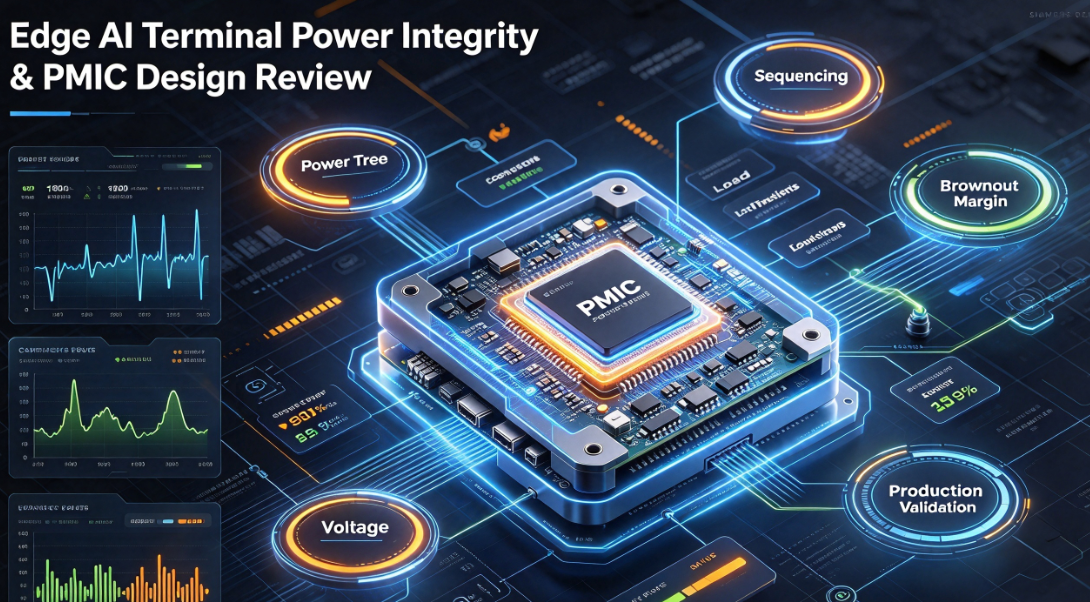
A board that boots successfully on a desk may still fail inside a sealed terminal. AI inference, video decoding, display output, Wi-Fi transmission and USB peripherals can all raise power consumption and internal temperature.
Thermal design should be based on the worst sustained workload rather than the idle temperature. The enclosure material, ambient temperature, heat-sink area, airflow, screen heat and mounting direction all affect the final result.
CPU, GPU and NPU may peak at different times.
Allow margin for cameras, storage and wireless modules.
Use thermal pads, heat sinks or metal enclosure contact.
Run AI, video, network and peripherals together.
Recommended Thermal Validation
- Measure SoC temperature during continuous AI inference
- Run maximum display resolution and video decoding simultaneously
- Test Wi-Fi, Ethernet, cameras and USB storage together
- Repeat testing inside the final enclosure
- Record thermal throttling, reboot and frame-rate behavior
- Verify operation at the expected ambient-temperature range
Operating System and BSP Support Are Part of the Hardware Decision
Hardware specifications receive most of the attention during purchasing, but the board-support package often determines whether the product reaches mass production.
Confirm the exact Android, Linux or OpenHarmony version available for the selected board. Also confirm whether display timing, touch drivers, cameras, serial ports, GPIO, watchdog, RTC, 4G modules and OTA upgrades are already supported in the firmware.
Software Deliverables to Confirm
- Firmware image and recovery method
- Kernel and Android version
- Device-tree and interface configuration
- GPIO, serial-port and relay-control APIs
- Camera and touch-screen drivers
- Boot logo, launcher and system-setting customization
- Watchdog, RTC and automatic power-on behavior
- Local upgrade and remote OTA strategy
From PCBA Sample to Mass Production: EVT, DVT and PVT
A production PCBA project should not move directly from the first working sample to mass production. A structured validation process reduces the risk of late connector changes, thermal failures, software instability and inconsistent assembly quality.
Confirm processor, display, camera, memory, interfaces and basic firmware.
Test enclosure, thermal performance, EMC, peripherals, reliability and software.
Validate SMT, programming, functional testing, yield and production documentation.
Control BOM, PCB revision, firmware version, test records and traceability.
EVT Checks
- Processor performance and memory configuration
- LCD timing, backlight and touch operation
- Camera preview and AI inference
- USB, Ethernet, Wi-Fi, Bluetooth and serial interfaces
- Power sequence and system recovery
DVT Checks
- High- and low-temperature operation
- Long-duration stress testing
- ESD, surge and EMC verification
- Enclosure fit and cable reliability
- OTA update and abnormal power-loss recovery
PVT Checks
- SMT process and assembly yield
- Programming and serialization procedure
- Automated or fixture-based functional testing
- Golden sample and acceptance criteria
- Packaging, labeling and traceability
PCBA Customization Options
A standard board can shorten development time, but commercial terminal projects often require limited customization. The most cost-effective approach is usually to start from an existing validated platform and modify only the functions that affect the product.
Connector position, pin definition, serial-port level, GPIO and relay control.
LVDS, eDP, MIPI, V-by-One, touch panel and backlight configuration.
MIPI module, USB camera, fill light and image orientation.
Wi-Fi, Bluetooth, Ethernet, 4G, antenna and SIM-card placement.
Boot logo, launcher, API, GPIO control, watchdog and OTA.
Board outline, mounting holes, connector direction and heat-sink structure.
How to Prepare a Useful PCBA RFQ
A request that only says "We need an RK3588 board" is not enough for reliable selection. A useful RFQ should describe the complete terminal and its interfaces.
Recommended RFQ Information
- Product application and expected annual quantity
- LCD size, resolution, interface and panel model
- Number and type of cameras
- AI model, framework, input resolution and target frame rate
- Required RAM and storage capacity
- USB, serial, GPIO, Wiegand, CAN and relay requirements
- Ethernet, Wi-Fi, Bluetooth and 4G requirements
- Operating system and required APIs
- Board-size and enclosure limitations
- Operating-temperature and certification requirements
- Prototype schedule and mass-production target
Recommended LCDChip AI Smart Terminal PCBA Platforms
TIoT-3568X
RK3568 board with 1 TOPS NPU, dual-lens camera support, Wiegand input/output, QR-scanner connectivity and dedicated access-terminal interfaces.
View TIoT-3568XTIoT-3576E
RK3576 board with 6 TOPS NPU, 4K@120Hz DP, LVDS, eDP, dual-screen support, Gigabit Ethernet, Wi-Fi 6 and industrial expansion.
View TIoT-3576ETIoT-3588A
RK3588 board with 6 TOPS NPU, 8K HDMI output, 4K HDMI input, four-screen display, nine USB interfaces, M.2 and SATA expansion.
View TIoT-3588ANeed a Custom AI Smart Terminal PCBA?
Send your display, camera, AI-model, interface and enclosure requirements. LCDChip can help evaluate a standard platform, firmware adaptation or customized PCBA solution.
View AI Smart Terminal Solutions Request a QuoteFAQ: AI Smart Terminal PCBA Selection
Is RK3588 always better than RK3568?
No. RK3588 offers higher CPU, video and multi-screen capability, but RK3568 may be more cost-effective, compact and power-efficient for access-control, attendance and dedicated identity terminals.
When should I select RK3576 instead of RK3588?
RK3576 is suitable when the product needs strong 6 TOPS edge-AI performance, modern networking and dual-screen output but does not require 8K, four-screen display or extensive storage expansion.
How much NPU performance does a facial-recognition terminal need?
The requirement depends on model complexity, camera resolution, frame rate, preprocessing and whether detection, tracking and recognition run simultaneously. A well-optimized single-model terminal may run on 1 TOPS, while multi-model workloads may require more.
Can one PCBA support different LCD panels?
Yes, if the hardware interface and firmware support the panel. The resolution, timing, voltage, bit mapping, connector pinout, backlight and touch controller must still be adapted and validated.
What information is needed for PCBA customization?
Provide the application, LCD model, camera configuration, AI workload, interface list, operating system, board dimensions, temperature range, quantity and production schedule.
Should I use a standard motherboard or design a new PCB?
A validated standard motherboard is usually faster and lower risk for early production. A custom PCB is justified when enclosure size, connector placement, cost, certification or interface requirements cannot be met by a standard board.